About Nansen Trading
Written By Nansen Team
Last updated 12 days ago
💡 Read through Nansen Trading 101
What is terminal trading vs agentic trading in Nansen?
Agentic trading: Surface Smart Money and token signals by asking our agent anything about onchain. Then in the same chat, execute on that high-conviction signal, all on one product. The future of trading looks like this.
Trading terminal: A trading terminal now integrated into the Nansen workflow. Surface a signal and execute for any token on Solana, Base, Robinhood and BNB chain. Track smart money perps and execute a trade for any perps pair on Hyperliquid.
What's the difference between trading in the web app and mobile app?
On both web and mobile, you have options to execute swaps.
💡 Read through Nansen Trading 101
What chains are supported for trading?
Spot trading is supported on:
Solana
Base
Robinhood
BNB
Perps and outcome market trading is supported on:
Hyperliquid
Do I need to connect an external wallet?
No, there are currently no options for external wallets. Instead, you use the embedded Nansen Wallet powered by Privy — no friction for!
Can I have multiple Nansen Wallets?
You can have only one wallet per chain supported.
What if a trade fails?
The routing aggregator automatically tries alternative routes if the first one fails. If all routes fail, you'll see a clear error message explaining why, for example:
Speed is set too low
Your funds are safe. Failed transactions revert - nothing gets stuck or lost. You can:
Adjust slippage settings and try again
Try a different time (less congestion)
Trade a smaller amount
Contact support if it keeps failing
How do I execute my first trade?
Activate your embedded Nansen Wallet (from Settings or Portfolio)
Set-up MFA for security (recommended)
Deposit funds to your Nansen Wallet
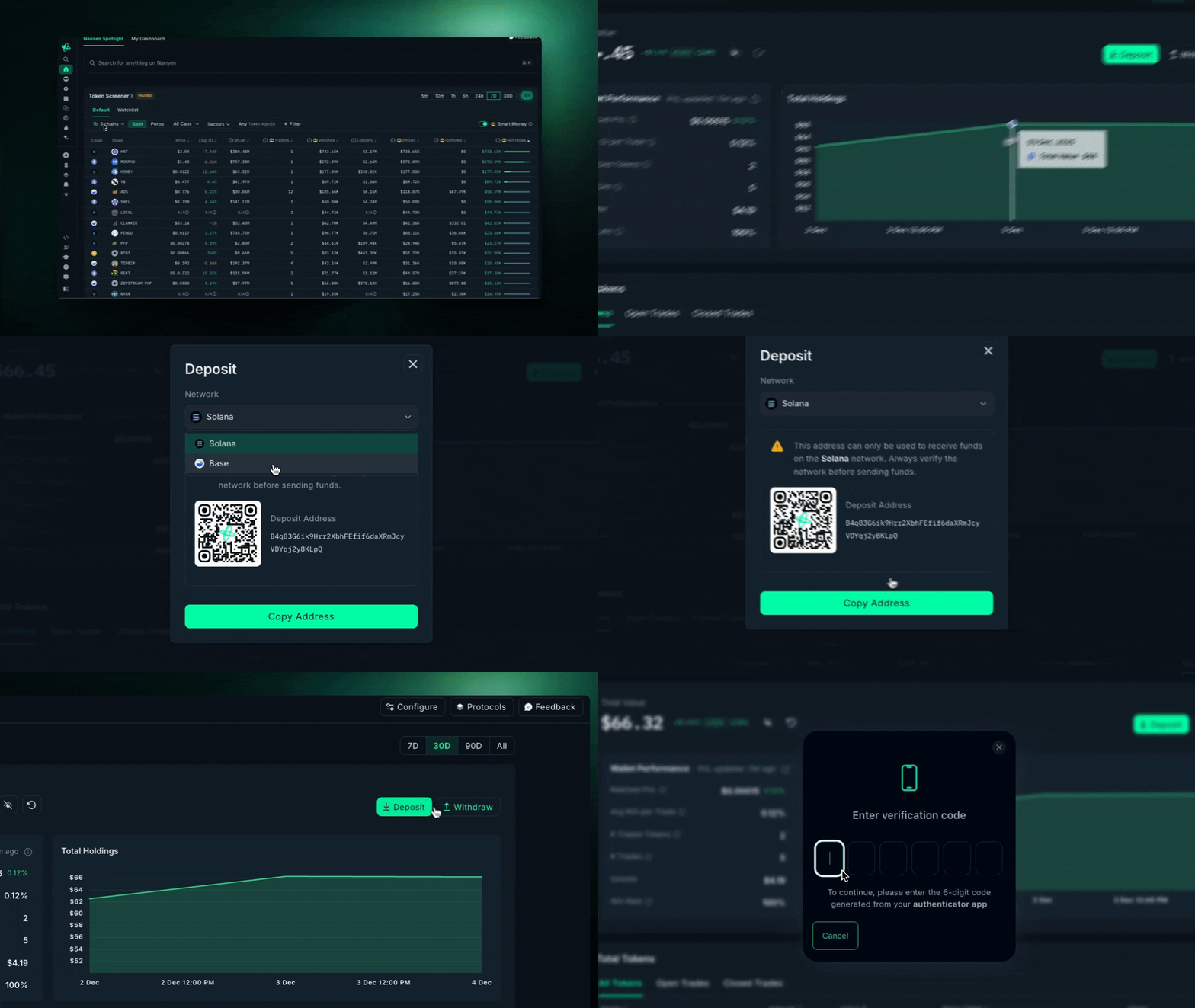
💻 Trading on Web:
Navigate to any token page and click “Swap” button
Enter amount you want to swap
Review routes and details (slippage, speed, etc).
Confirm execution
📱 Trading on Mobile:
Enter simple Swap tab or try agentic trading experience
Prompt the AI to swap (if using agentic trading)
If you agree, check the details
Confirm execution
How do I deposit/withdraw my funds to Nansen Wallet?
💻 On Web:
From Nansen web app, go to Portfolio and choose to either Deposit or Withdraw
When depositing, select your network
When withdrawing, make sure to have MFA activated, and verify the code
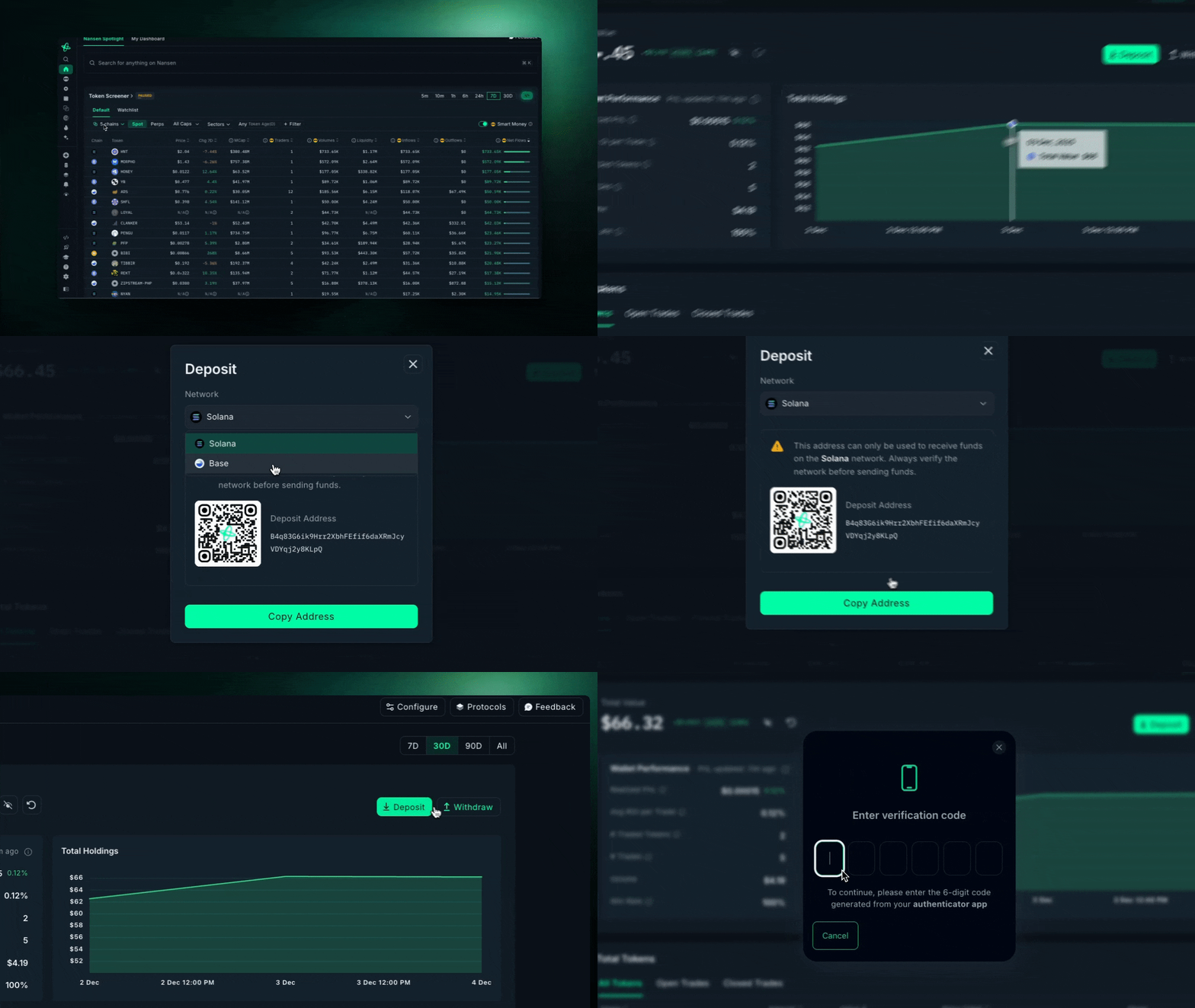
📱 On Mobile:
From Nansen mobile app, open the left menu and choose to either Deposit or Withdraw
When depositing, select your network
When withdrawing, select token and input amount
Can anyone trade with Nansen—are there geoblocking restrictions?
The current list of jurisdictions are restricted from accessing spot and perps trading:
Singapore
Cuba
Iran
North Korea
Bhutan
Syria
Ukraine regions (Crimea, Donetsk, and Luhansk)
United Kingdom
United States of America
In addition to the jurisdictions identified current list of jurisdictions are restricted from accessing outcome markets trading:
Australia
Thailand
China
India
Brazil
Indonesia
Poland
Hungary
Netherlands
Belgium
Switzerland
Argentina
Ireland
Please note: It is not permissible to use a VPN to circumvent trading restrictions.
⚠️ Read the Terms of Services in detail