Agentic Trading 101
Stop switching between analytics and trading platforms. Spot Smart Money signals and trade everything onchain, with AI.
Written By Nansen Team
Last updated 27 days ago
💻 How to Trade on Nansen (Web)
1️⃣ First-Time Setup
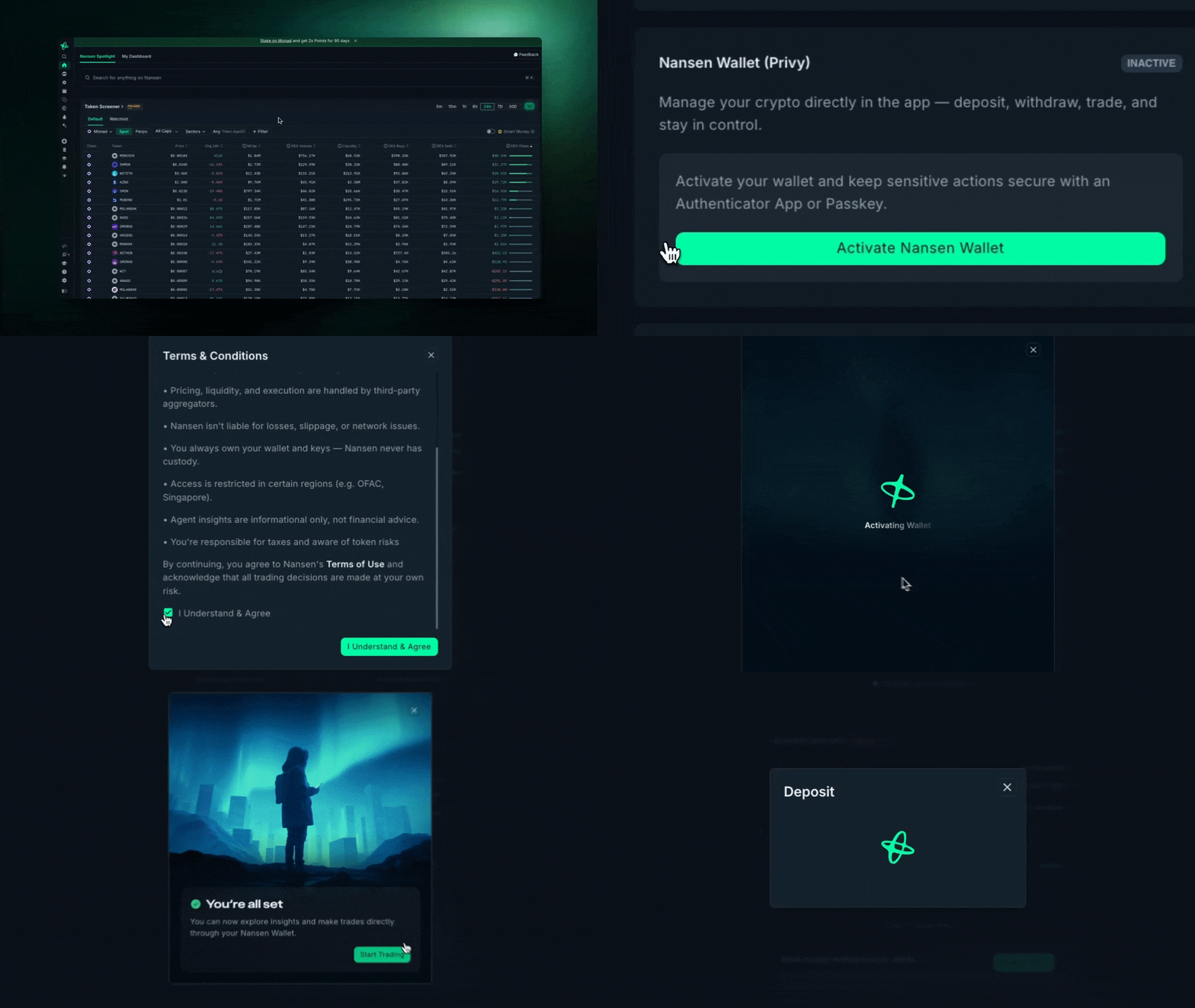
Activate Nansen Wallet
Go into your Portfolio and
Set up two-factor authentication (required)
Wallet created in under 60 seconds
Deposit Funds for Spot Trading
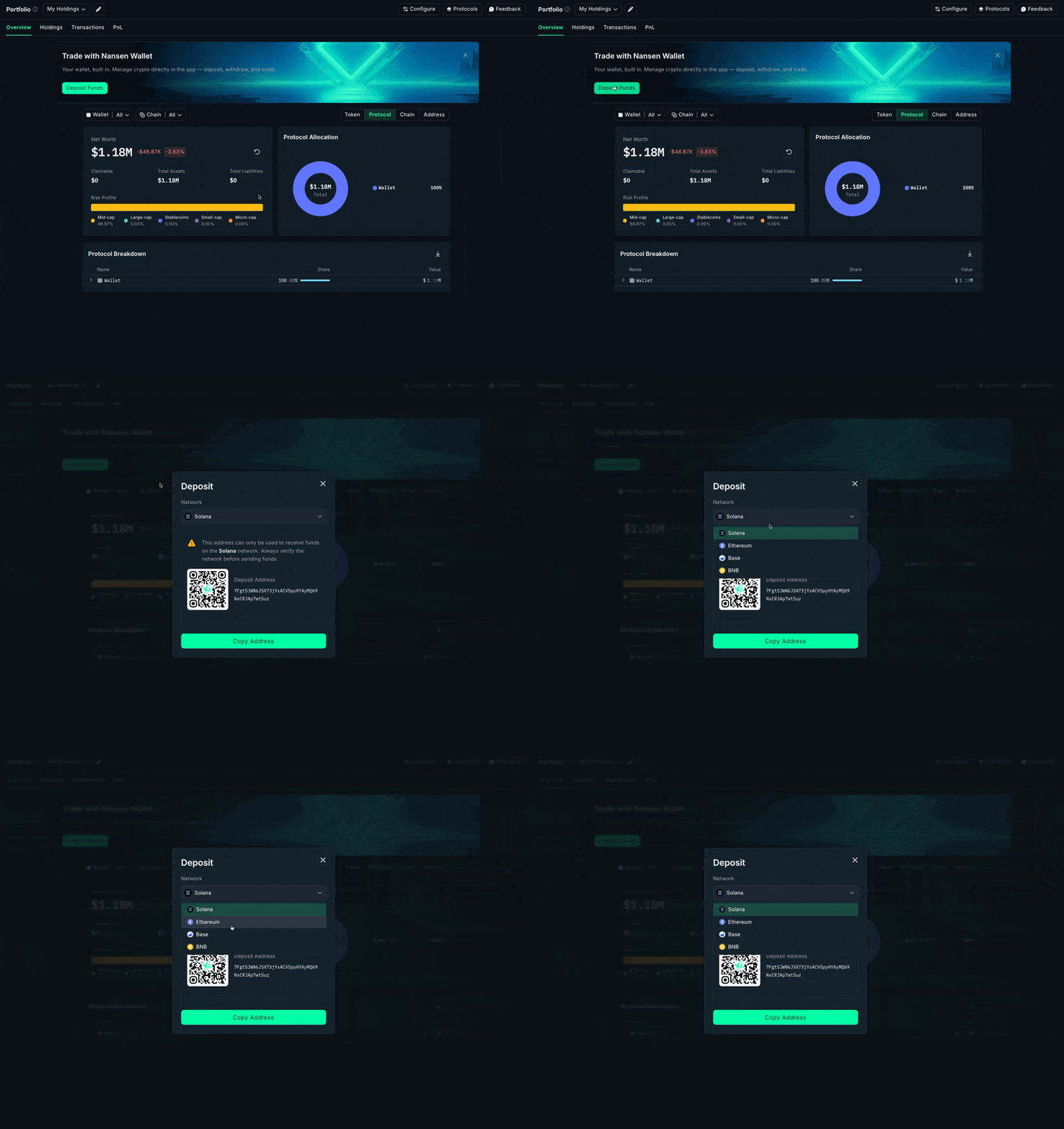
Go to Portfolio and deposit funds into Nansen Wallet
Choose the Network (Solana, Robinhood, Base, and BNB)
Transfer crypto from your external wallet to your Nansen Wallet address
Ensure you have native tokens for gas (SOL for Solana etc.)
2️⃣ Execute a Trade
Option 1: Agentic Trading

Enable Trade is turned on
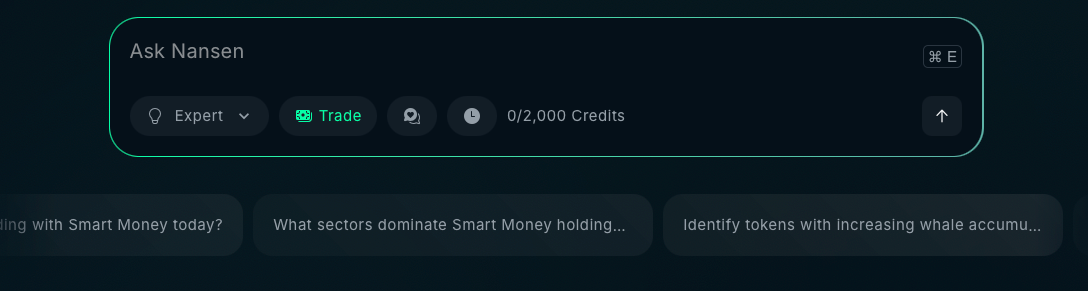
Start a chat with Nansen AI agent (asking it to swap/trade if you specifically want to trade)
Review details (slippage, speed, etc).
Confirm execution
Option 2: Standard Swap
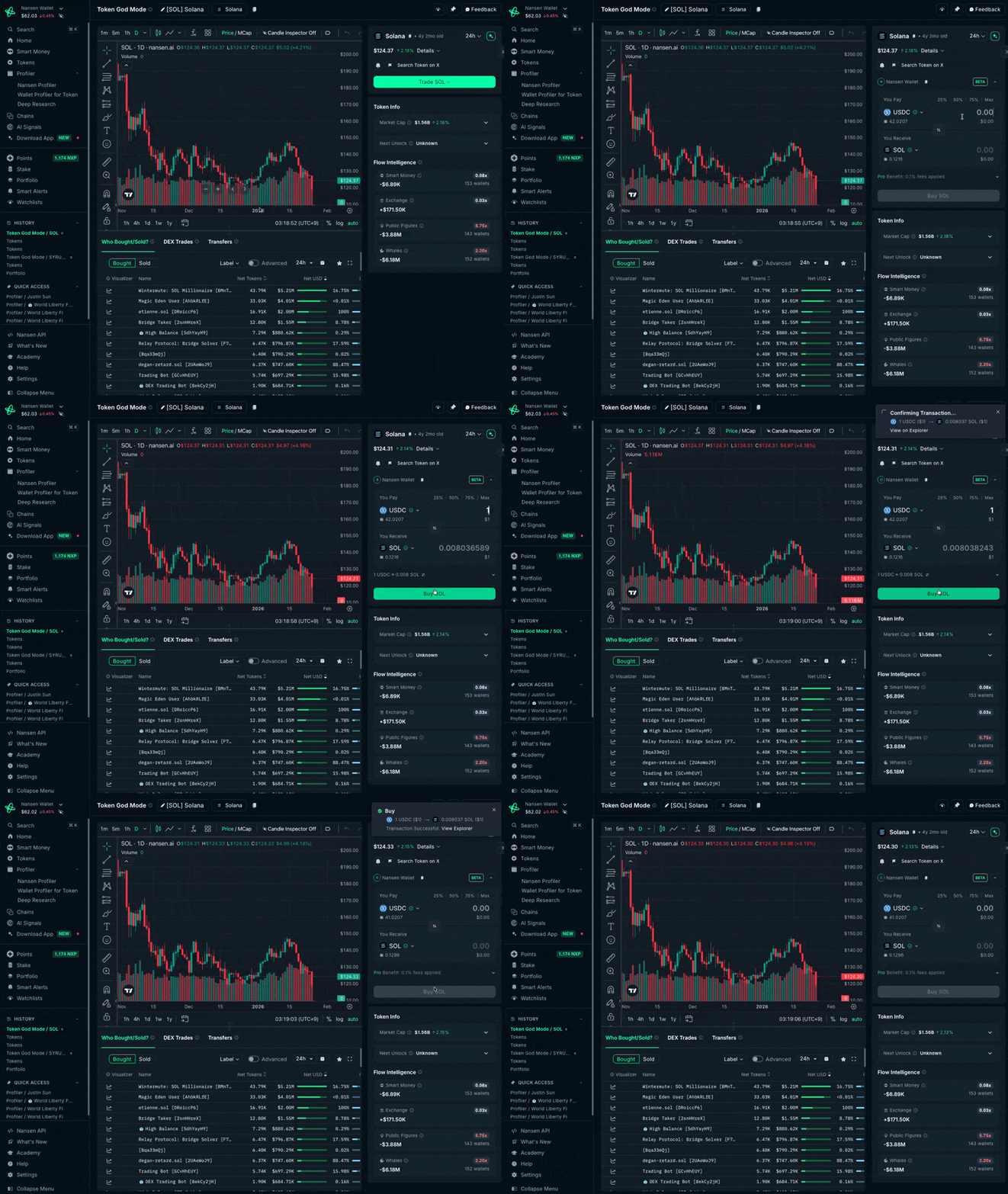
Navigate to Token
Search for any token or go to a token page
Click 'Swap' button
Set Trade Parameters
Select token you want to swap from
Select token you want to swap to
Enter amount
Review Routes
Routing shows best available routes across Jupiter, OKX, and LI.FI
Review pricing, fees, and estimated slippage
Confirm & Execute
Review final transaction details
Confirm trade
Track status in Activity tab
📱 How to Trade on Nansen AI (Mobile)
1️⃣ First-Time Setup
Log in to your Nansen account
Activate Wallet when prompted
Set up MFA authentication (recommended)
Deposit funds to your Nansen Wallet
2️⃣ Execute a Trade
Option 1: Agentic Trading
Enable Trade is turned on
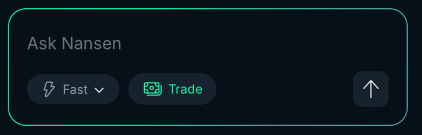
Start a chat with Nansen AI agent (asking it to swap if you specifically want to trade)
Review routes, prices, details (slippage, speed, etc).
Confirm execution
Option 2: Standard Swap
Tap 'Swap' tab (second tab from the left)
Select tokens to swap (from → to)
Enter amount
Review routes, prices, details (slippage, speed, etc).
Confirm execution
💡 Tips for Best Results
‼️ Test small first: Try a small trade before executing large amounts
Check slippage: Default is 0.5%; increase for volatile tokens, decrease for stablecoins
Trade during off-peak hours: Lower gas fees on Ethereum
Use L2s for lower fees: Base and Solana have cheaper transactions than Ethereum mainnet
Monitor Activity tab: Real-time status updates for all trades
⚠️ The current list of jurisdictions are restricted from accessing trading: Singapore, Cuba, Iran, North Korea, Syria, Ukraine regions (Crimea, Donetsk, and Luhansk), Russia