Account & Billing
Any question related to payments, subscriptions, and billing
Written By Nansen Team
Last updated About 21 hours ago
Account
Why can’t I login with a wallet?
Since 31 October 2026, you can't sign in to Nansen or create an account with a wallet. We’ve upgraded our login system to offer a faster, more reliable sign-in experience.
There are two options for account recovery depending on the chain you used for your wallet login. If you’re old login was:
EVM or Solana wallet: Recover the account via the self serve recovery flow
Cosmos, Starknet, Sui, Tron, Aptos: Reach out to support@nansen.ai for help
Our support team will be happy to help you restore access to your account!
My staking wallet is linked to another email—what do I do?
Each wallet can only be linked to one account at a time to maintain Points system integrity and prevent exploitation.
To resolve this, here are your options:
Option 1: Sign in using the original account connected to the staking wallet to access your existing account and Points.
Option 2: Disconnecting the wallet from the original account so that it can be connected to a new account.
If you want to disconnect your wallet contact our support team—they can help you disconnect wallets and guide you through the reconnection process.
Important Note: Once Points rewards have been redeemed, wallet connections cannot be changed.
How can I delete my Account?
Please drop us an email at support@nansen.ai to request for account deletion.
How do I change my password?
You can change your Nansen account password by using this password reset link. Follow the instructions to set up a new password.
Payments
What payment methods do you accept?
Nansen accepts standard card payment methods for all subscription and API credit transactions. Debit/credit cards are accepted, including VISA, Mastercard, and more.
For annual subscriptions, we also accept crypto, including BTC, ETH, and USDC. Crypto payments are not available for monthly plans.
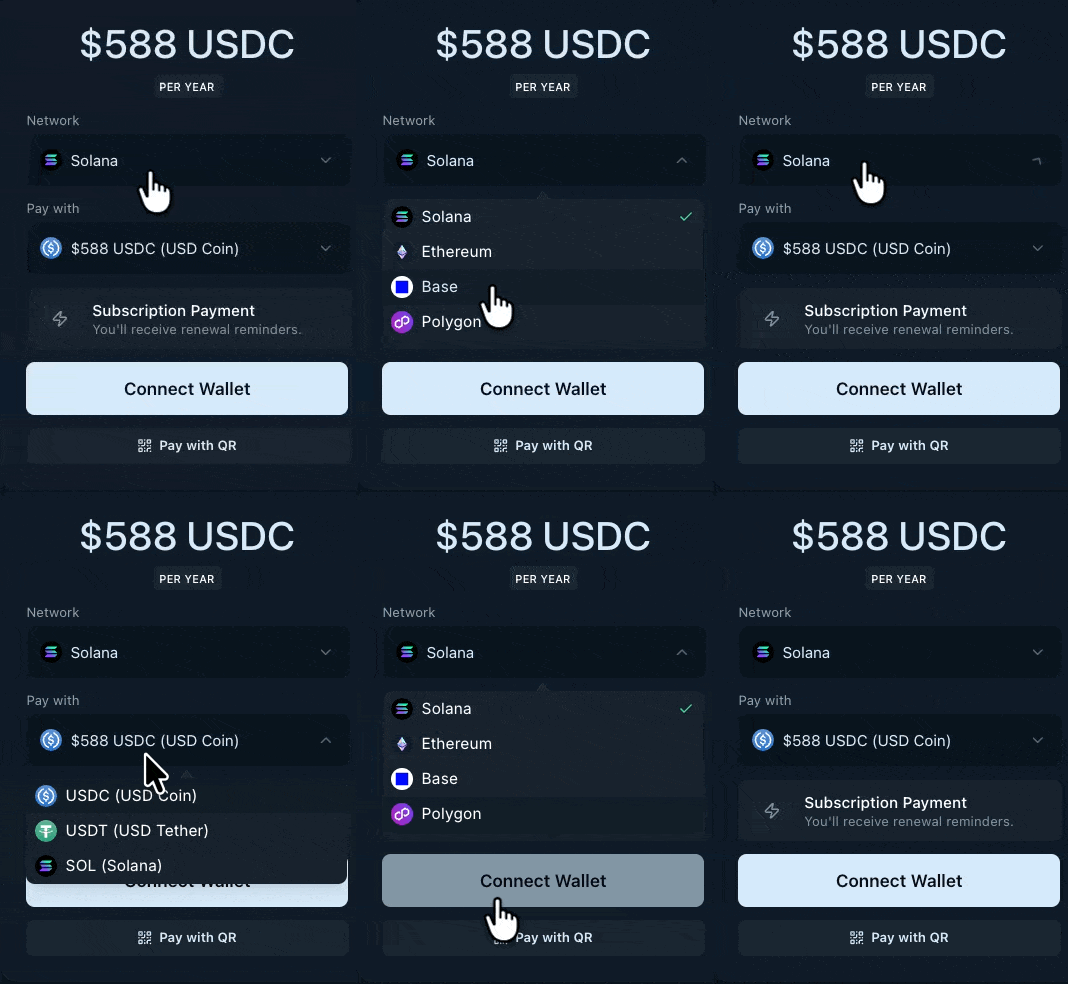
If you want to buy crypto, we offer fiat on-ramp via MoonPay. This update eliminates the friction of moving funds between platforms, bringing a streamlined deposit experience to your mobile device.
Credit and debit cards
Apple Pay for iOS users
Google Pay for Android user
How do I manage the credit/debit cards in my account?
Nansen does not store your credit/debit card details. Your card details are securely managed by Stripe. As a Nansen customer you can manage all payments methods directly via Nansen’s Stripe Customer Portal.
Please note you must enter the email associated for the Nansen account with recurring subscription. If you wish to delete all card details, reach out to Nansen support.
Where can I find my invoices or receipts?
If you paid through Stripe, you can access your historical invoices and receipts directly via Nansen’s Stripe Customer Portal. Just enter the email address associated with your Nansen subscription to pull up your records.
If you paid through Google Play or the Apple Store you’ll need to go into your relevant Google or Apple account to retrieve the invoices.
If you paid with crypto you will need to reach out to support.
Are payments geoblocked in any region?
Nansen uses third party payment processors which may enforce geoblocking in specific regions. You can keep up to date with their restrictions here:
Cancellations & Refund
How do I cancel my subscription?
To cancel your subscription, head over to Account Settings. You'll still have access to your current plan until the billing period ends.
If you paid with a credit/debit card, make sure to cancel before the next billing date to avoid future charges. You can see when your subscription ends in Account Settings.
If you paid with crypto, the subscription won't auto-renew. You'll only be charged again if you buy another plan.
If you paid through Google Play or the Apple app store you will need to manage your subscription in your relevant account.
If you experience any issues with your account, please contact us at support@nansen.ai.
I still have not received my refund after 7 days. What do I do?
Please raise this up to our support@nansen.ai immediately and flag as urgent, and we will get to it asap.
Was this helpful?
Still need help? Share an idea