MCP Intro
Written By Nansen Team
Last updated About 12 hours ago
Get Started
What is Nansen MCP?
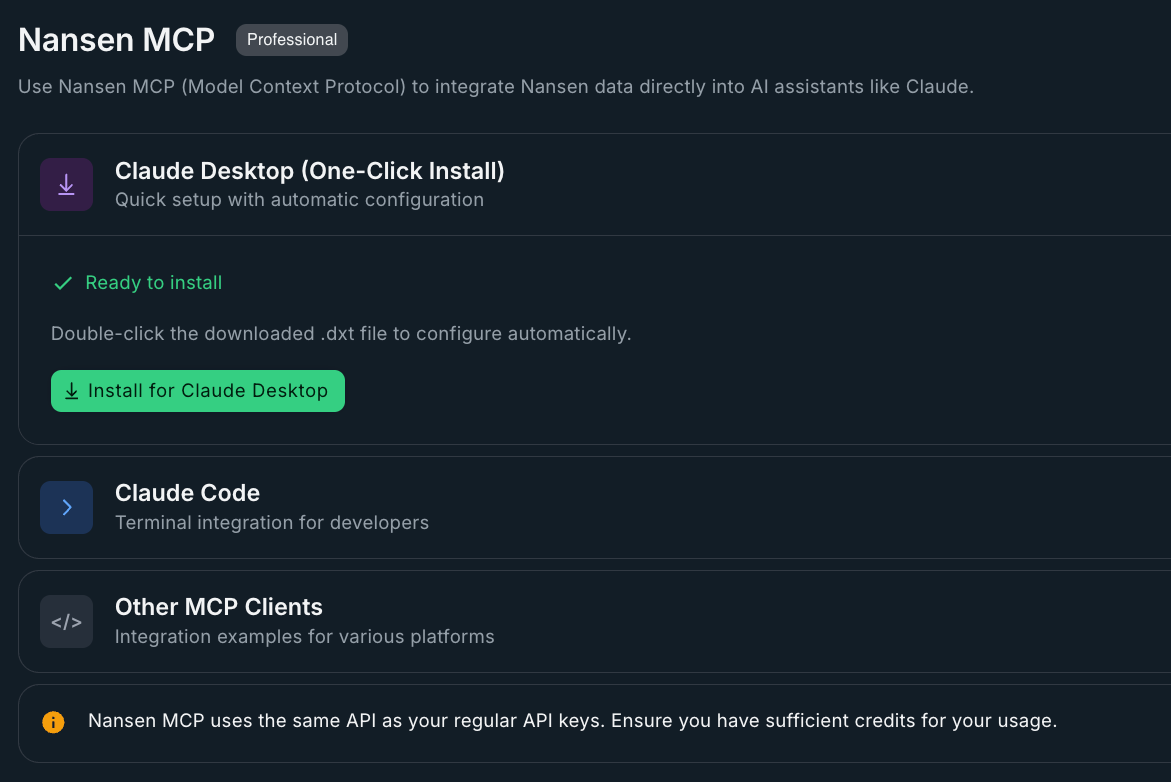
Nansen MCP connects your AI tools to live onchain data across all the chains that matter. Instead of your LLMs or AI agents being blind to crypto markets, it can now answer questions like 'What tokens are smart money buying?' or 'Analyze this whale's trading patterns' in real-time.
💡 Go plug your AI with real-time onchain data here
Why use Nansen MCP?
AI tools are powerful, but they're flying blind to crypto markets. They can't tell you what tokens are pumping, which wallets are accumulating, or what smart money is doing right now.
Nansen MCP changes this by giving your AI real-time access to 400M+ labeled addresses and institutional-grade onchain data.
How much does this cost?
The MCP is powered by the API. It costs $10 for every 10,000 API credits purchased.
Read more about the credit pricing for each API endpoint in the API docs.
How do I connect Nansen MCP to my AI tools?
Connect to Nansen’s MCP in two ways — a one-click connector (recommended) or manual MCP connection with an API key.
Use a connector:
Install Nansen from your AI client’s connector directory (ChatGPT, Claude, Grok, or Muse).
You sign in with your Nansen account via OAuth
Connector server URL:
https://mcp.nansen.ai/ra/connector-curated/mcp
Manually connect any MCP client:
Create a connection to:
https://mcp.nansen.ai/ra/mcpSend the HTTP header:
NANSEN-API-KEY: YOUR_API_KEY_HEREThis enables the full tool catalog (including tools not available via connectors).
Follow the client-specific setup under Manually connecting to Nansen MCP.
Both options are read-only and bill tool calls to your Nansen API credits, not your AI subscription.
What custom connectors are available for the Nansen MCP?
You can connect the Nansen MCP into multiple interfaces:
ChatGPT: install from the ChatGPT plugin directory
Claude: install from the Claude connector directory. The same sign-in works in Claude Code and in Slack through Claude Tag
Grok: add Nansen as a custom connector
Muse: paste a setup prompt and let Muse configure a custom connector
You can also manually connect to the Nansen MCP. Read more about Nansen MCP Connectors.
What can I ask?
You can ask anything. Here are some example prompts to get started:
'Show me all tokens that funds bought in the last 24 hours'
'What DCA strategies are profitable traders using on Jupiter?'
'Find new tokens with high smart money inflows and growing trading volume'
'Show me trending tokens with liquidity above $100k'
'Analyze the trading performance of this whale address'
'Find wallets connected to this successful trader'
'Track how this fund's portfolio allocation has changed over time'
'Do a deep dive into this wallet to find whom does it belong to'
Do I need a Nansen Pro subscription to use the MCP?
No, you don’t need a Pro subscription to use the MCP. Simply purchase API credits and you’re ready to go.
Data & Coverage for Nansen MCP
What tools and data does Nansen MCP provide?
Nansen MCP provides a whole set of tools/data:
Smart Money tracking
Token Discovery
Address & Entity Profiling
Wallet PnL analysis
DEX trades
Exchange flows
Trending tokens
Transaction lookups
And so much more.
Over 30 specialized tools covering everything from portfolio analysis to smart money movements across all supported chains. Check out the full list in our Nansen MCP Docs.
How accurate and real-time is this data?
As real-time as blockchain gets - we process transactions as they happen. It's the same institutional-grade data with 400M+ labeled addresses that top crypto funds rely on. We provide onchain intelligence, not trading advice.
I'm not a trader—is this useful for builders and researchers?
Yes! Analyze user behavior, study protocol interactions, research market trends. Whether you're building dApps or conducting research, you get x-ray vision into onchain activity through simple conversations.
Was this helpful?
Still need help? Share an idea