Profiler 101
Dive deep into 500M+ labeled addresses and explore token relationships, connections between entities, and everything you need to understand everything onchain.
Written By Nansen Team
Last updated About 7 hours ago
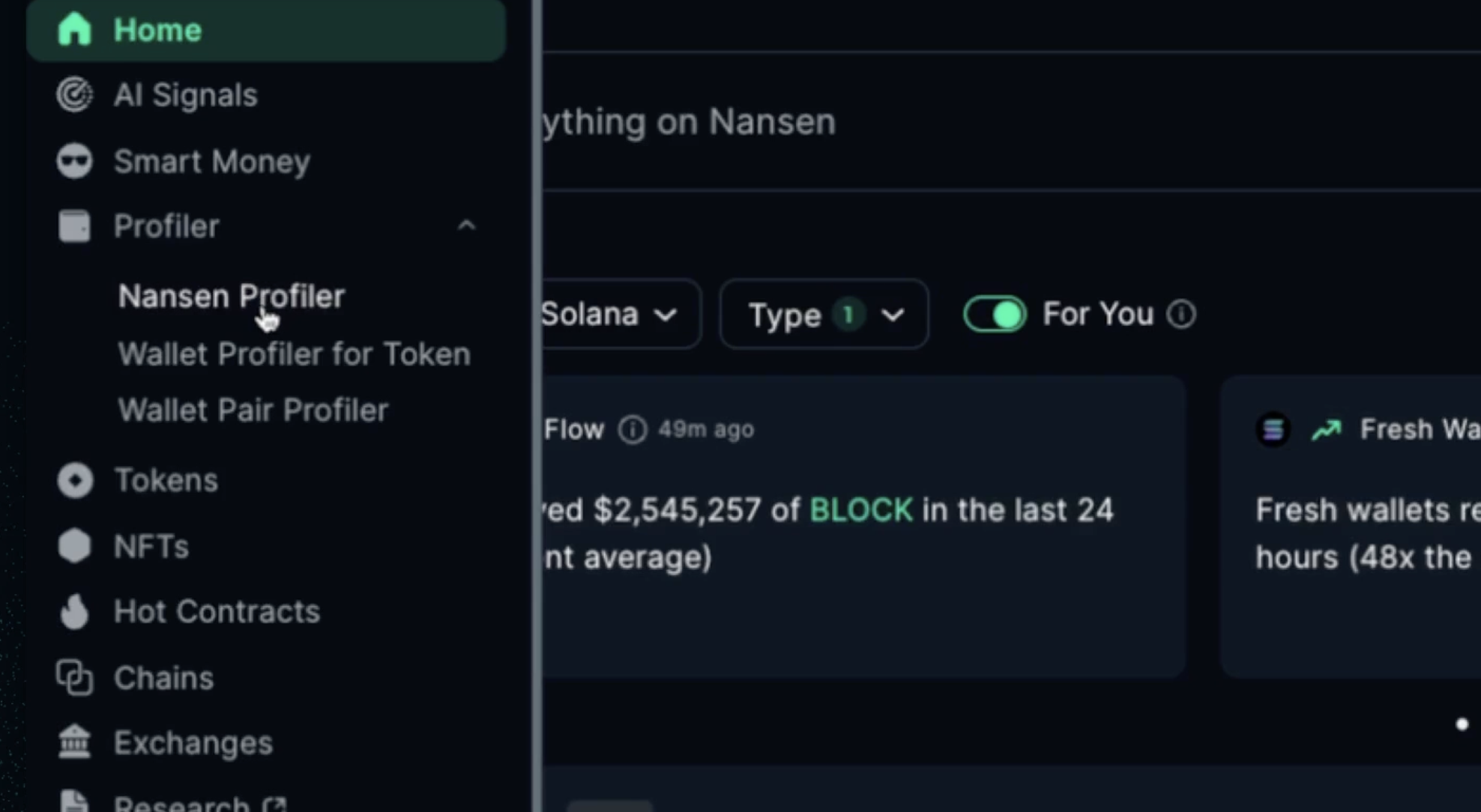
Profiler works differently than other features on Nansen, where instead of a standard go-to page, each option provided allows you to search through the millions of addresses and dig deep.
Nansen Profiler
Analyze a wallet’s activity, holdings, and transaction history. Whether it’s a whale, fund, or influencer, the Profiler helps you understand their behavior.
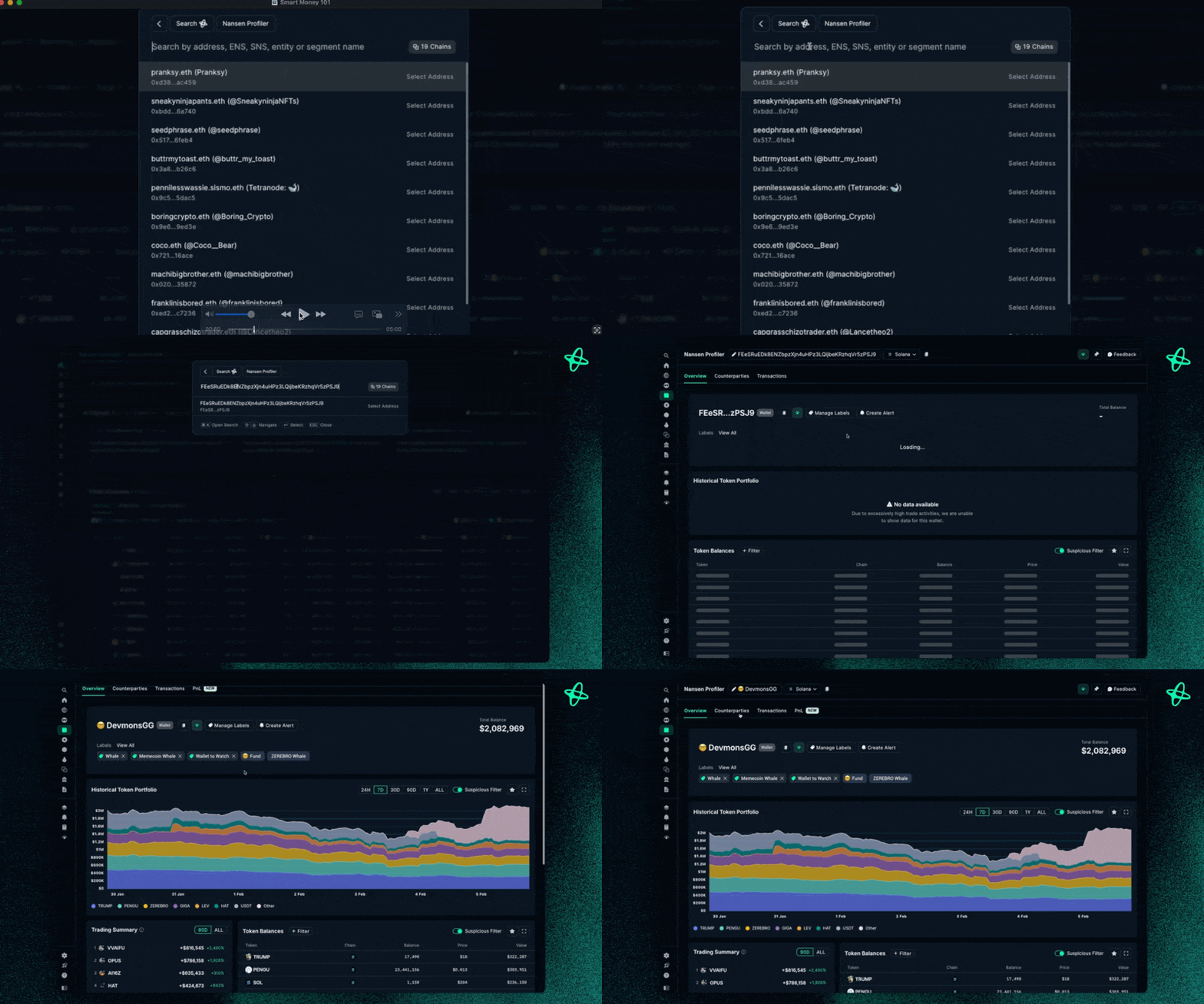
Click Nansen Profiler
Search for a given address or paste in a copied-over address and paste directly
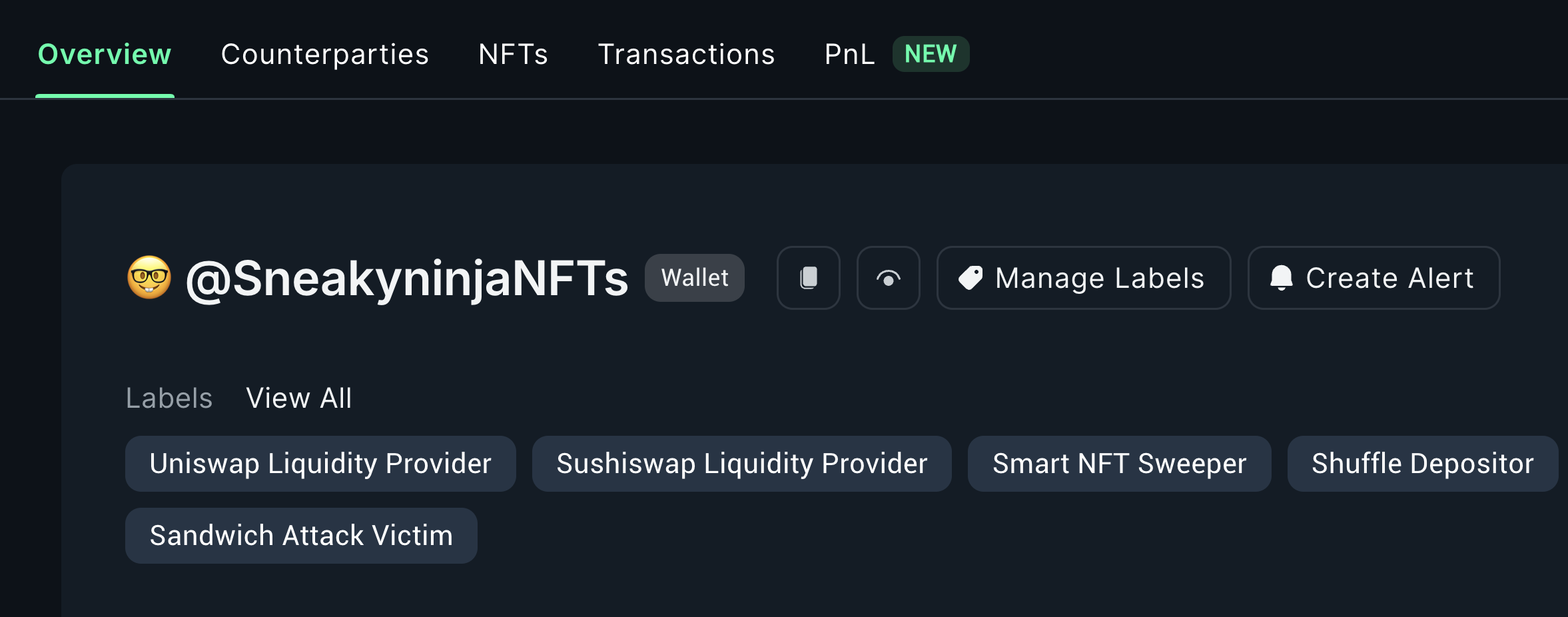
Start Profiling into that address in more detail, getting a view of:
Overview of the address
Counterparties
Transactions the address made
Profits and losses of the address
Wallet Profiler for Token
This helps you dive into a given wallet and its holdings and relationship for a given token.
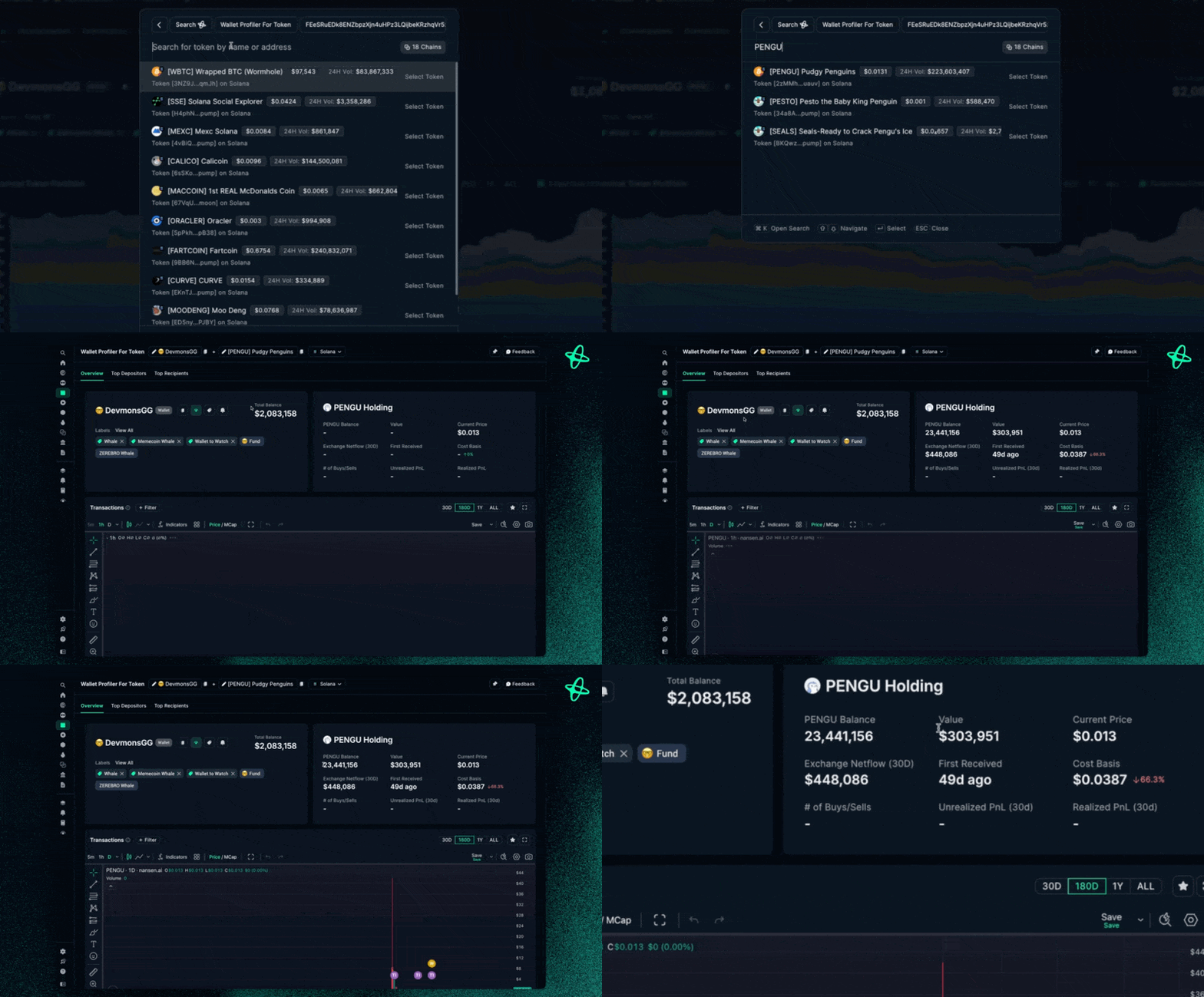
Select your target token
Analyze wallet interactions:
Token balance history
Entry/exit points
Trading patterns
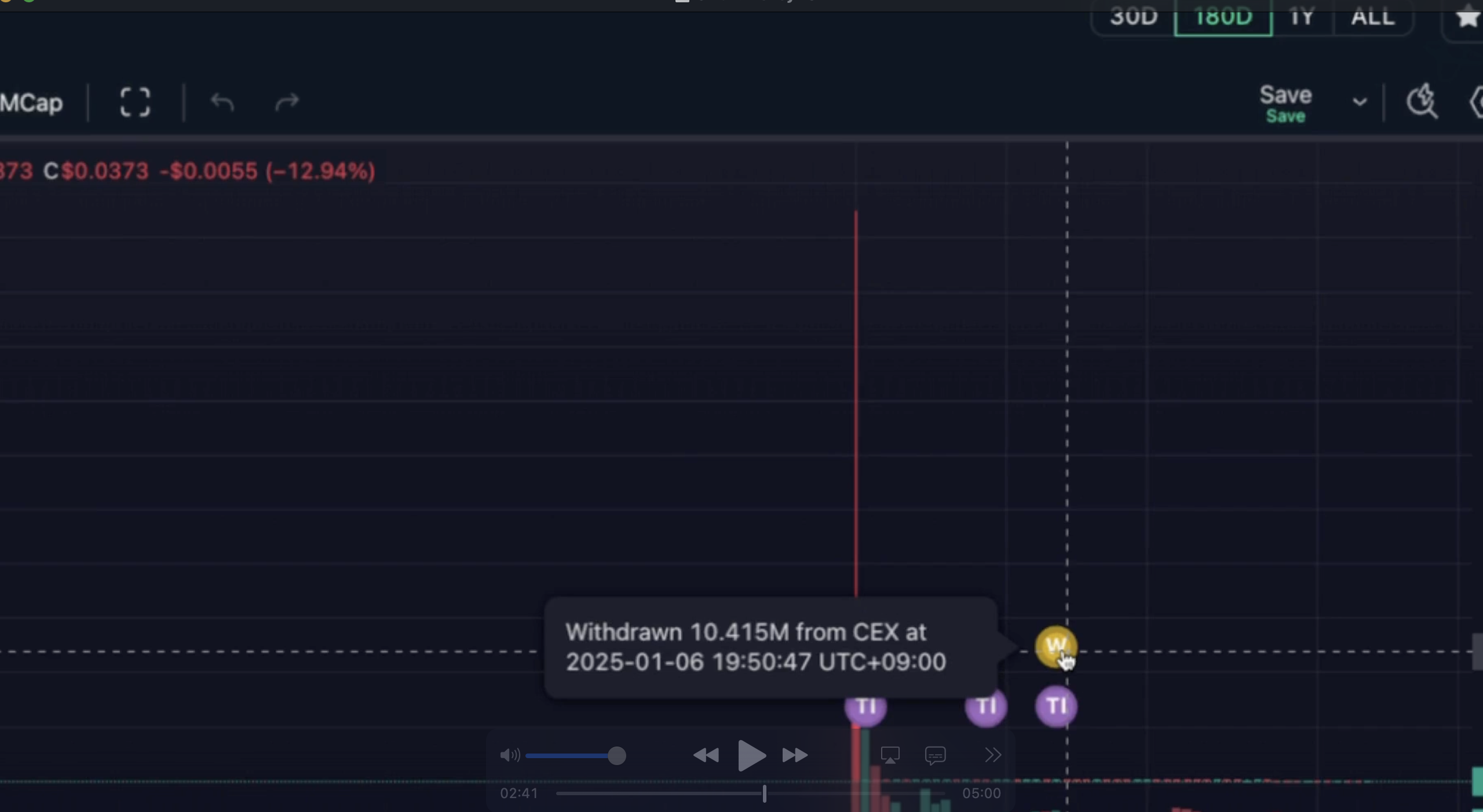
Track specific metrics:
Transfer history
Buy/sell activities
Position changes
Wallet Pair Profiler
Uncover the relationships between wallets by analyzing direct and indirect transactions.Enter two wallet addresses
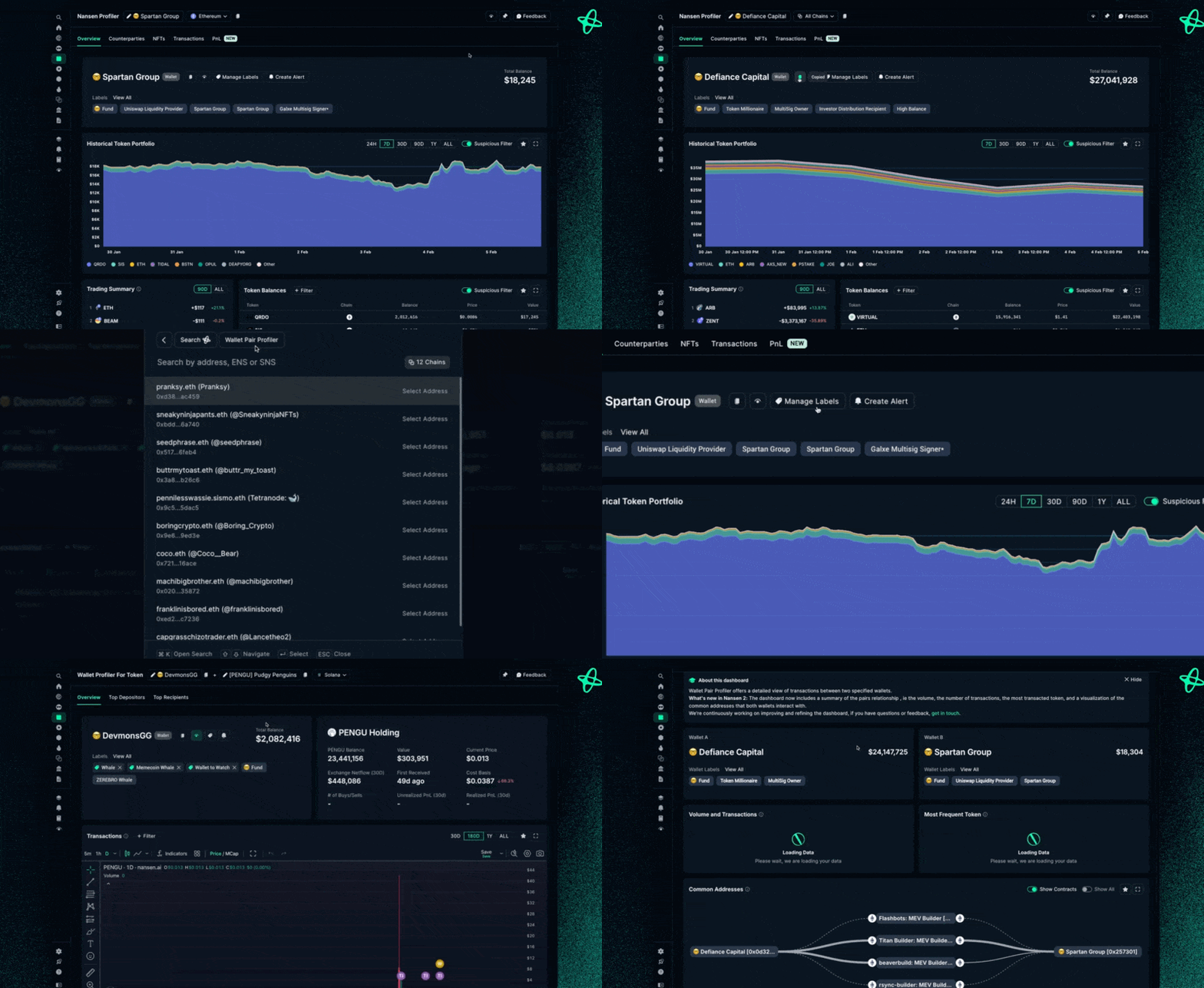
Explore connections:
Direct transactions
Shared counterparties
Network relationships
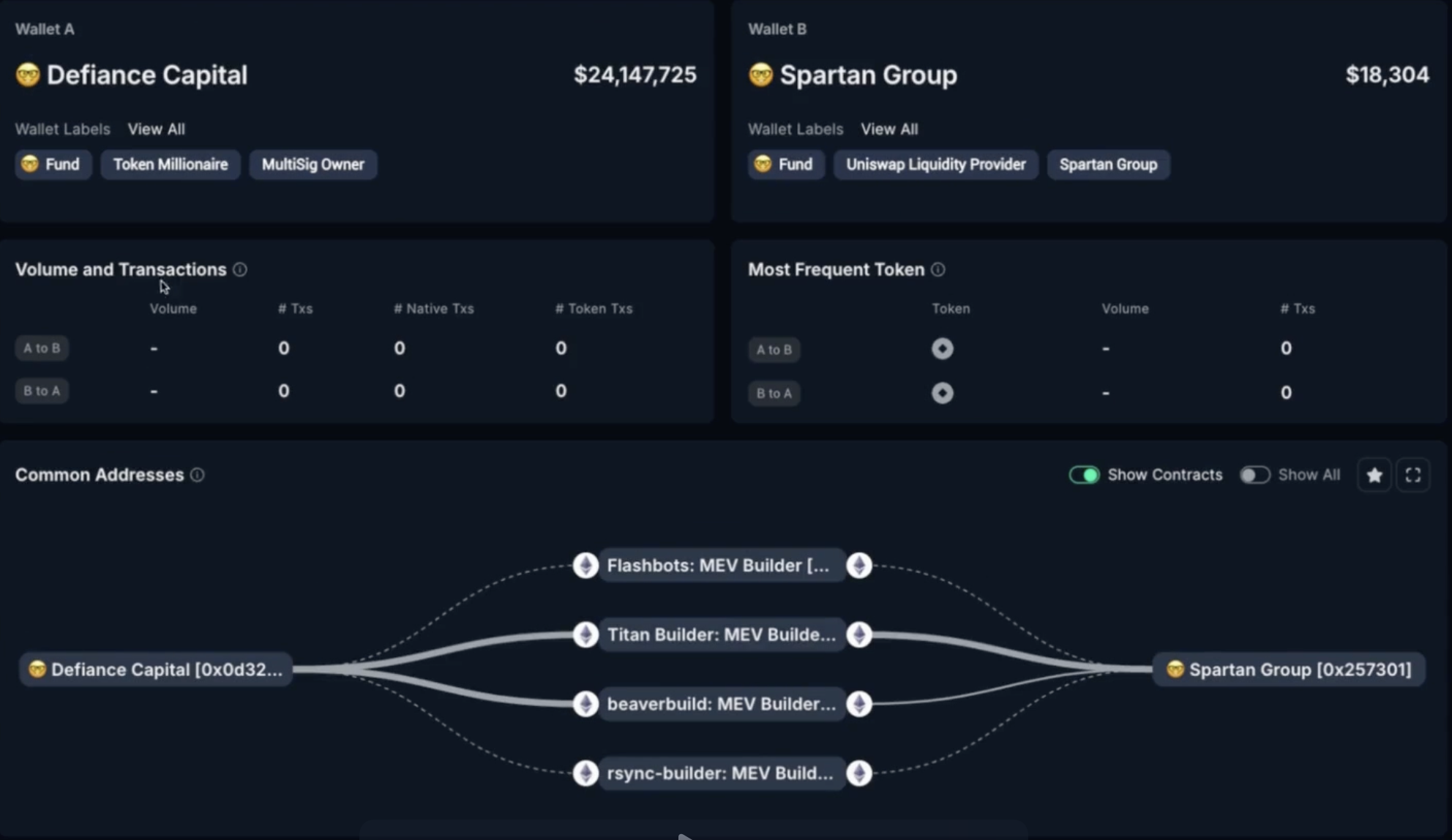
Analyze shared activity:
Transaction volume
Common tokens
Interaction frequency
👉 Also check out: Deep Research 101
Deep Research
Get comprehensive AI-powered wallet analysis to identify connections between wallets and specific entities. Particularly effective for wallet ownership analysis and behavioral patterns.
Deep research allows you to dig deep on everything you want to know about a wallet, particularly ownership and behavioral patterns.
Whether its seeing if a given address seems like a trading bot, or if that address truly belongs to a specific individual, Deep Research is meant to save you hours of research analysis into a given wallet, in a matter of a few minutes.
How to Access
Go to Deep Research on the left navi (under Profiler)
Paste over any wallet address
Wait 1-3 minutes for Deep Research to complete
👉 Also check out: Nansen Profiler 101
Was this helpful?
Still need help? Share an idea