Plans & Pricing
Everything you need to know about Subscription Plans
Written By Nansen Team
Last updated 17 days ago
Is a trial available for your subscription plans?
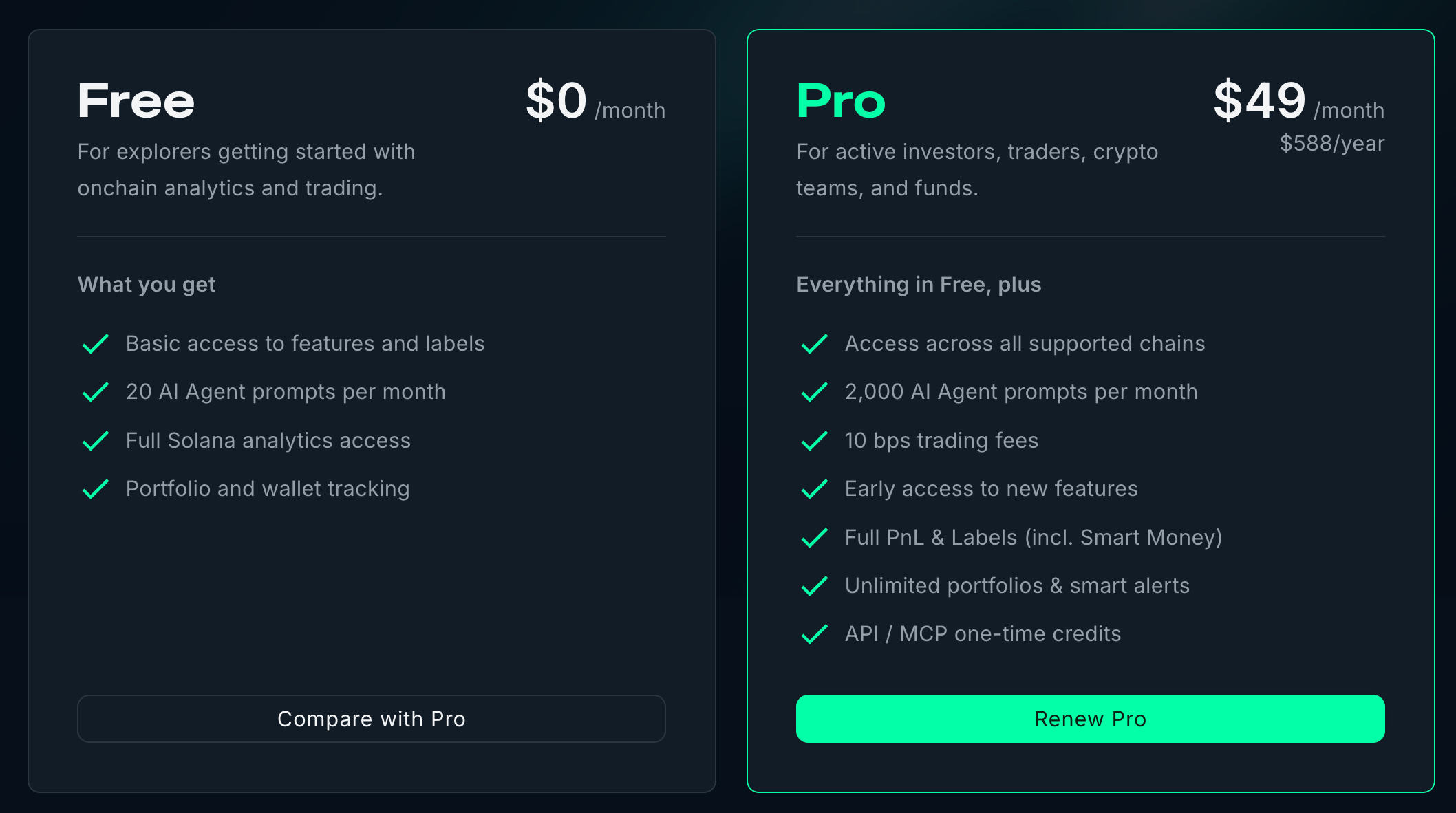
You can create a Free account at app.nansen.ai to get started. This will allow you to familiarize yourself with the platform before deciding to upgrade to a Pro plan that aligns with your requirements.
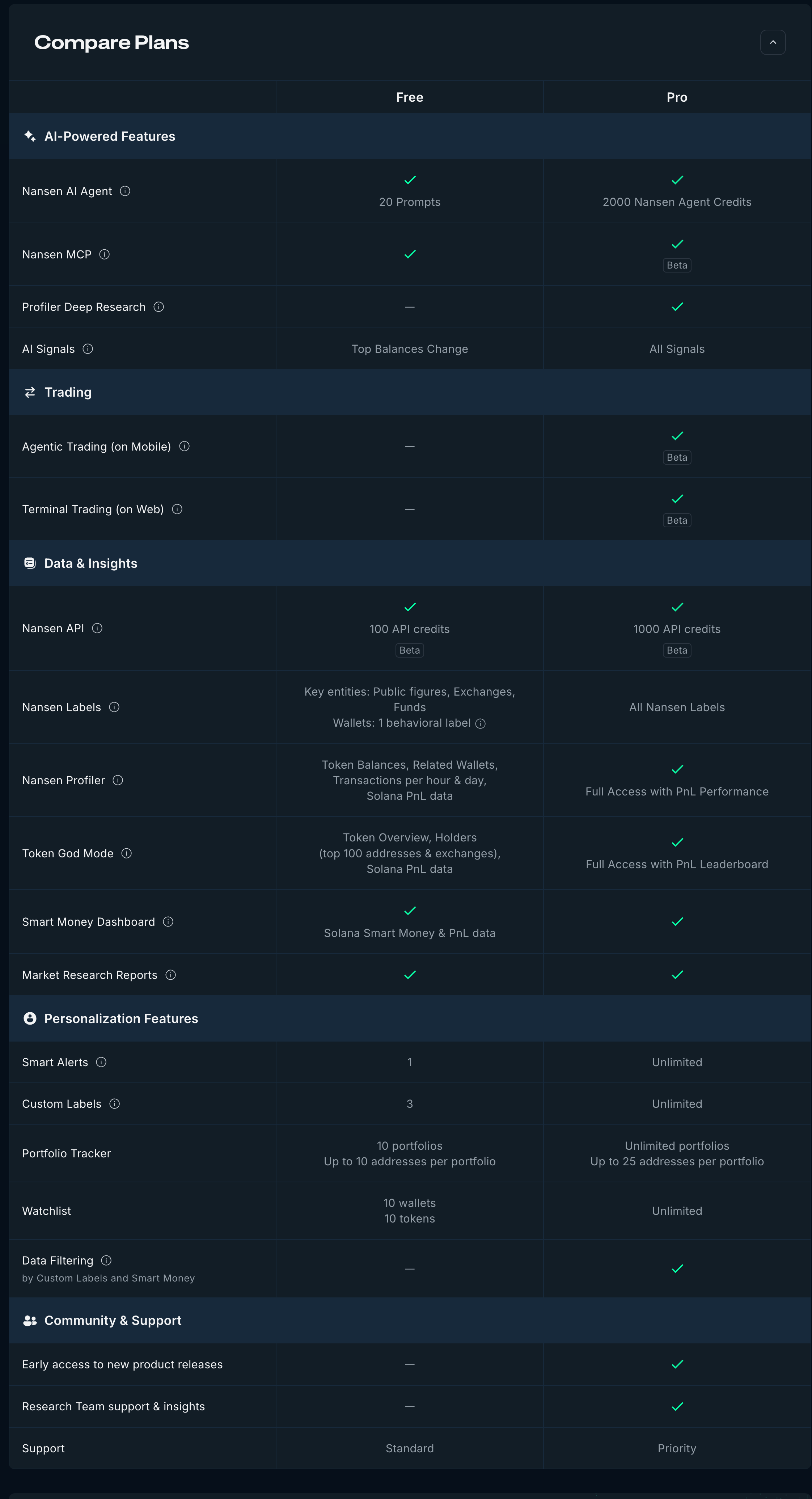
Do you have a detailed table of whats included in each plan?
Yes we do. You can check it out a full detail of whats included for each plan in our comparison table.
How do I change my subscription plan?
You can easily change your subscription plan by following these steps:
Go to Account Settings and click on Change Plan.
Select your desired plan.
Make the payment.
Please note: When you upgrade or downgrade, any remaining time on your previous plan will not be automatically rolled over to your new subscription. Please reach out to support@nansen.ai if you require assistance with your case.
Can I upgrade my plan at any time?
If you'd like to upgrade your plan, just make payment for a different tier and you'll get an email on how to activate your account. You can easily follow the steps:
Go to Account Settings and click on Change Plan.
There are currently only two plans: Pro and Free.
Is there an Enterprise plan?
No, Nansen does not have an Enterprise or Institutional plan available right now.
How much do API credits cost?
Nansen API credits costs $10 for every 10,000 API credits. Please note endpoint credit pricing varies - please read more.
There are discounts for bulk API credit purchases over 5 million credits. Please contact support at support@nansen.ai and ask to speak to our Sales team!
How do I get an invoice for my subscription?
Simply drop us a request at support@nansen.ai